
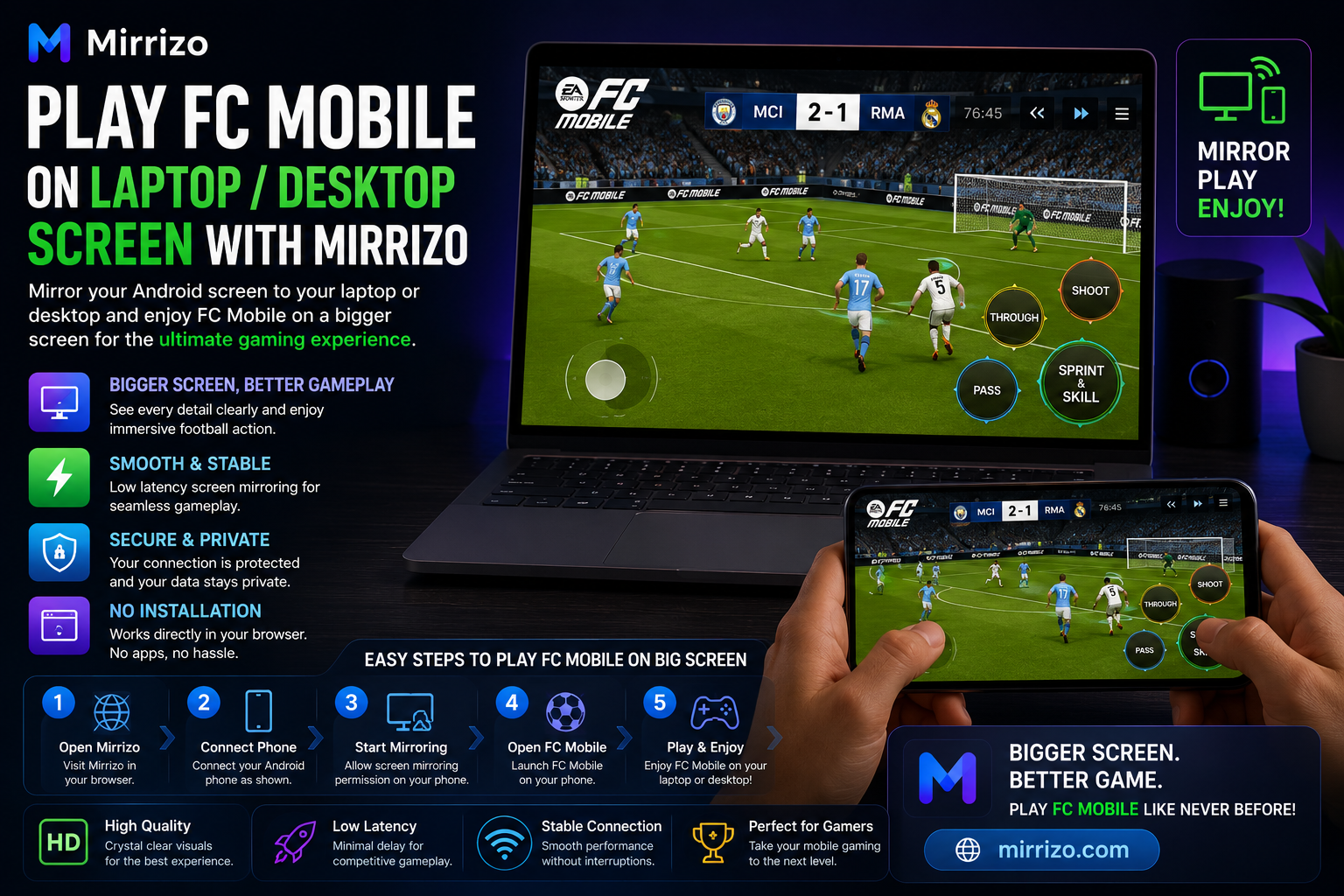
Play FC Mobile on Laptop or Desktop Screen with Mirrizo
If you want to play FC Mobile on a laptop or desktop screen, screen mirroring can make the experience much better.
A larger display gives you a clearer view of the match, easier navigation, and a more comfortable way to enjoy the game. With Mirrizo, you can use screen mirroring to show your Android phone on your PC through a simple browser-based experience.
For players searching for screen mirroring, mobile to PC screen share, Android screen on PC, or a modern screen mirror app, this is one of the easiest ways to enjoy FC Mobile on a bigger screen.
---
Why Play FC Mobile on a Bigger Screen?
FC Mobile is fast, visual, and action-heavy. A laptop or desktop screen can make it easier to follow the match and enjoy the details.
Playing on a larger screen can help with:
- **Better visibility** during gameplay
- **More comfortable viewing** for longer sessions
- **Easier screen sharing** for tutorials or streaming
- **A more immersive football experience**
- **Cleaner navigation** when using the game interface
If you are used to mobile gaming, moving to a bigger screen can feel like a major upgrade.
---
Why Use Mirrizo for FC Mobile?
Mirrizo is designed to make screen mirroring simple.
Instead of downloading complicated software, Mirrizo gives you a browser-first way to mirror your Android screen to your PC. That makes it useful for users who want:
- a clean setup
- fast access
- easy mobile to PC screen share
- a modern browser-based experience
- support for everyday use cases like gaming, demos, and tutorials
If your goal is to play FC Mobile on laptop desktop screen, Mirrizo gives you a practical way to do it without extra clutter.
---
How to Play FC Mobile on Laptop or Desktop Screen
Step 1: Open Mirrizo
Visit Mirrizo in your browser on your laptop or desktop.
Step 2: Connect Your Android Phone
Connect your Android device and follow the on-screen instructions to begin the screen sharing session.
Step 3: Allow Screen Mirroring
Approve the necessary permission on your phone so Mirrizo can display the screen on your PC.
Step 4: Launch FC Mobile
Open FC Mobile on your Android phone.
Step 5: Start Playing on the Bigger Screen
Your game will appear on your laptop or desktop display, letting you enjoy FC Mobile with a larger view.
---
Common Pain Points and How to Improve the Experience
When people mirror mobile games to a PC, a few issues can come up.
Lag or Delay
If the display feels slow, close unused apps and keep your browser updated.
Frame Drops
If the game stutters, reduce background activity on your phone and avoid heavy multitasking.
Audio Sync Problems
If sound feels delayed, refresh the session and check your device volume settings.
Connection Instability
If the connection drops, reconnect your phone and make sure the setup stays stable during play.
A simple setup and stable browser session usually give the best experience.
---
Best Practices for Playing FC Mobile on Mirrizo
To get smoother gameplay:
- Keep your phone charged
- Use a stable browser
- Close apps you do not need
- Use full screen for a more immersive view
- Keep your device cool during long matches
These small changes can improve the overall feel of screen mirroring for gaming.
---
SEO Keywords to Target Naturally
This article naturally fits search terms like:
- play FC Mobile on laptop
- play FC Mobile on desktop screen
- screen mirroring
- screen sharing
- mobile to PC screen share
- Android screen on PC
- screen mirror app
- mirror phone screen in browser
- cast Android to PC
- browser based screen sharing
- play mobile games on PC
These keywords help the page rank for users searching for gaming and screen mirroring solutions.
---
Frequently Asked Questions
Can I play FC Mobile on a laptop screen?
Yes. With screen mirroring, you can display FC Mobile from your Android phone on a laptop screen.
Does Mirrizo work as a screen mirror app?
Mirrizo is designed as a browser-based screen mirroring experience for Android devices.
Can I use Mirrizo for desktop screen sharing?
Yes. Mirrizo is made for mobile to PC screen sharing through a browser.
Is FC Mobile better on a bigger screen?
For many users, yes. A larger screen makes gameplay easier to follow and more comfortable to enjoy.
---
Final Thoughts
If you want to play FC Mobile on laptop or desktop screen, Mirrizo gives you a simple way to do it through screen mirroring.
It is a strong fit for users who want a cleaner, easier, and more modern way to enjoy mobile games on a bigger display. Whether you are playing for fun, sharing gameplay, or just want a better viewing experience, Mirrizo helps make mobile gaming feel bigger and better.